Zalo Icon
Zalo Icon

Case Study

Resources > Case Study > 5> Dian Xiao Er automates vendor statement (SOA) reconciliation against SAP Business One


Dian Xiao Er automates vendor statement (SOA) reconciliation against SAP Business One

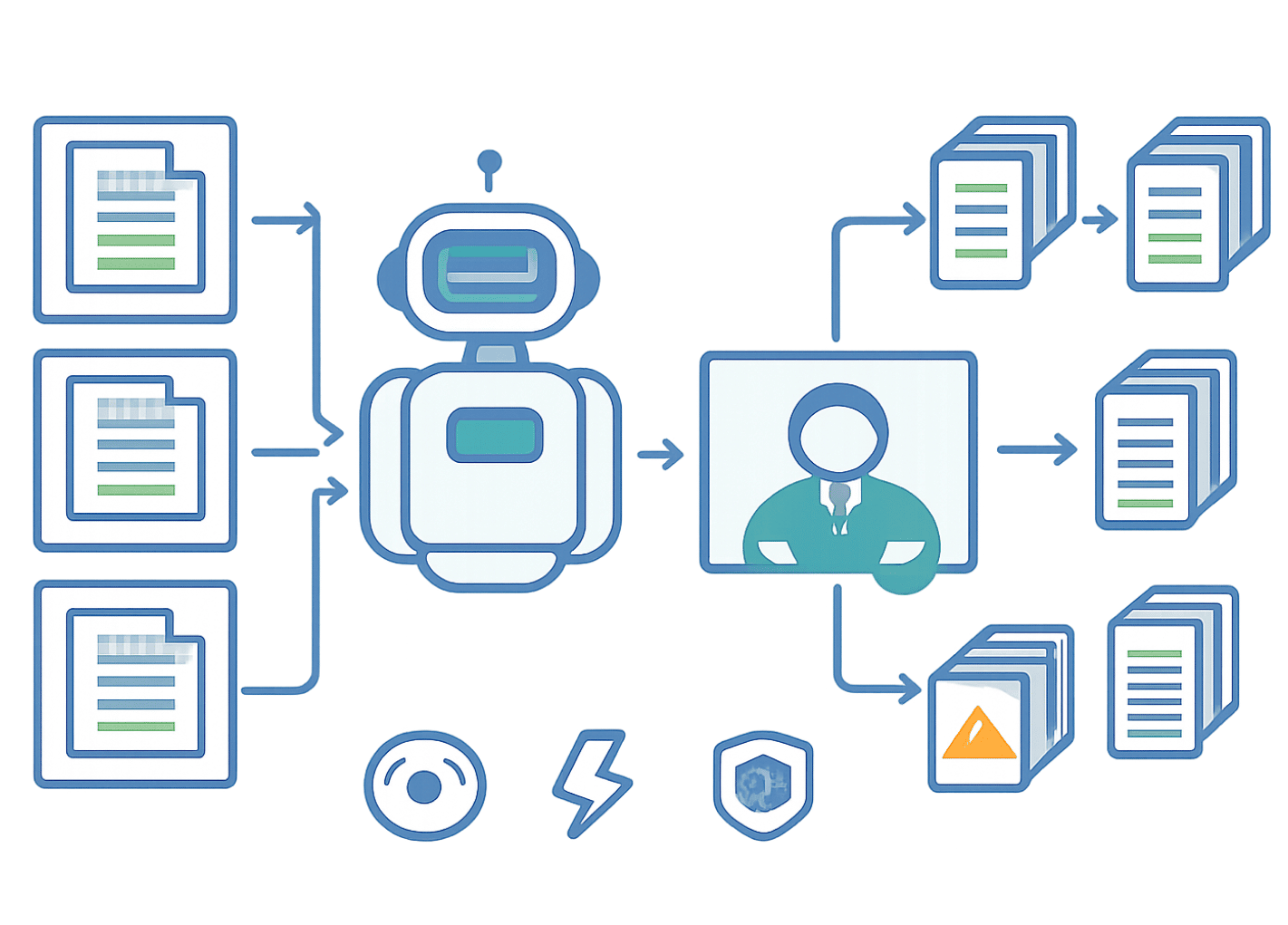
After putting its accounts payable invoice entry on autopilot, Dian Xiao Er (DxR) moved to the next manual bottleneck: reconciling vendor statements of account (SOAs) against the SAP Business One aging report. With AFusion’s Phase 2 solution, an AI agent monitors the dedicated SOA mailbox, extracts each statement with Intelligent Document Processing (IDP), pulls the matching aging data from SAP through UI automation, and produces a line-by-line reconciliation file — matching on invoice number, date and amount with zero tolerance. The design target: each SOA reconciled in under 5 minutes, against a task that used to consume an accountant’s afternoon per vendor.

From invoice entry to statement checking: why Phase 2 came next

Phase 1 of the DxR automation programme removed manual AP invoice entry into SAP Business One (see the AP invoice processing case study). With invoices entering the ledger automatically, the next labor-intensive task stood out: the periodic vendor statement check.

AFusion DxR SOA Reconciliation Case Study
Every vendor sends a statement of account — a list of open invoices, payments, and the outstanding balance for the period. DxR’s accountants had to compare each statement, invoice by invoice, against the SAP aging report:
  • Two systems, one truth. The vendor says the balance is X; SAP says Y. Finding which invoice explains the gap meant opening both documents and scanning line by line.
  • Every vendor, every month. Dozens of vendors send statements, each in its own template, each needing the same careful comparison.
  • Errors hide in plain sight. An invoice recorded in SAP but missing from the statement — or the reverse — silently distorts payables. Discovering it at payment time means disputes with suppliers and delayed payments.
  • Duplicate risk. The same statement can arrive twice (different email, same content), and processing it twice wastes review time.

What DxR asked for

An SOA reconciliation system that watches the mailbox, recognises genuine statements, extracts them regardless of vendor template, compares every line against the SAP aging report under exact-match rules, and hands each PIC a clear reconciliation file — with no data leaving DxR’s premises and no SAP B1 API required, consistent with the Phase 1 constraints.

How the SOA reconciliation works

1. The mailbox becomes the intake desk

A dedicated mailbox receives vendor statements. Each evening at 7 PM the AI agent reads the inbox: an email qualifies as an SOA when its subject or body contains “Statement of Account” or “SOA” and carries an Excel or PDF attachment. Qualifying emails move to the SOA folder, the rest to Non-SOA — nothing is deleted, everything is sorted. Duplicate statements are detected automatically by vendor, statement period, and file checksum, then logged without reprocessing.

2. IDP extracts statement data across vendor templates

The IDP engine parses each PDF or Excel statement, pulling the financial summary (previous balance, payments received, current balance, due date) and the invoice table line by line — invoice number, date, amount, payment, balance. Extraction failures retry up to three times; anything still failing is flagged for the PIC with the error logged.

3. SAP aging data, pulled the same way a clerk pulls it

Using the vendor code resolved from master data, the agent runs the SAP Business One aging report through screen automation — the same UI approach as Phase 1, no API. If SAP is unavailable, the SOA is queued and retried every 30 minutes for up to 4 hours before PICHQ is alerted, so an ERP outage never silently drops a reconciliation.

4. Exact matching, both summary and line level

The reconciliation engine compares two levels. At summary level: current balance and the four aging buckets (0–30, 31–60, 61–90, 90+ days). At line level: invoice number (exact, case-insensitive), invoice date, and amount — with zero tolerance for variance. Every mismatch gets a precise reason:
  • Matched — all three fields agree; nothing to do.
  • Mismatched amount — invoice and date match but the amount differs; the difference is noted.
  • Not found in SAP — the vendor bills an invoice SAP has never seen; investigate before paying.
  • Not found in SOA — SAP carries an invoice the vendor’s statement omits.
  • Duplicate detected — the same invoice number appears multiple times.
Credit notes are handled as negative amounts; cancelled invoices are noted; the tolerance policy is explicit: any discrepancy, however small, is flagged, and PICs review all mismatches without exception.

5. Each PIC gets their own reconciliation file and notification

The output is one Excel file per vendor and period, with totals for SAP items, SOA items, and differences, plus a per-invoice status and remark. Files land in the PIC’s own Dropbox folder (statement, aging report, and result side by side for audit). The PIC receives an immediate email per processed SOA and a consolidated daily summary at 7:30 PM; PICHQ sees the full picture across all vendors. Vendor identification falls back from exact master-data match to fuzzy matching above 85% similarity, and unknown vendors route to PICHQ for assignment.

What the system is built to deliver

The Phase 2 requirements set the performance bar the solution is engineered to: reconciliation matching at 100% accuracy (exact match only, zero false positives), each SOA processed in under 5 minutes, SAP data retrieval under 3 minutes per vendor, and 100 invoices reconciled in under 15 minutes. User acceptance testing with DxR’s accountants follows the same approval-gated model as Phase 1: the robot proposes, the human decides — mismatches stay with people, routine matches close themselves.

AFusion DxR SOA Reconciliation System Case Study

Is vendor statement checking eating your month-end?

If your AP team still opens two windows and compares two tables by eye — vendor statement against aging report — the same pattern that pushed DxR to Phase 2 is at work: statements multiply with the supplier base, and every line checked by hand is a line that can still be wrong. AFusion’s workflow review maps your statement intake, matching rules, and review loop, then shows what automated SOA reconciliation would return in hours and in disputed payments avoided.

Frequently asked questions

What is SOA reconciliation in accounts payable?

SOA (statement of account) reconciliation compares a vendor’s statement — open invoices, payments, outstanding balance — against the company’s own records, typically the ERP aging report, to confirm both sides agree invoice by invoice before balances are paid or adjusted.


How does automated statement reconciliation handle different vendor templates?

Intelligent Document Processing reads each PDF or Excel statement by structure rather than fixed coordinates, extracting the summary figures and the invoice table. Unreadable or failed extractions retry automatically and then route to a human reviewer instead of guessing.


What matching tolerance should AP reconciliation use?

In this project the policy is zero tolerance: any amount difference, however small, is flagged as mismatched. The system’s job is to surface every discrepancy with a reason (amount differs, missing in ERP, missing in statement, duplicate); humans decide which ones matter.


Does the automation need an API into SAP Business One?

No. Like Phase 1, the agent operates SAP Business One’s screens directly to run the aging report, so no API development is required. If SAP is unavailable, work queues and retries every 30 minutes for up to 4 hours.

Comments are closed.